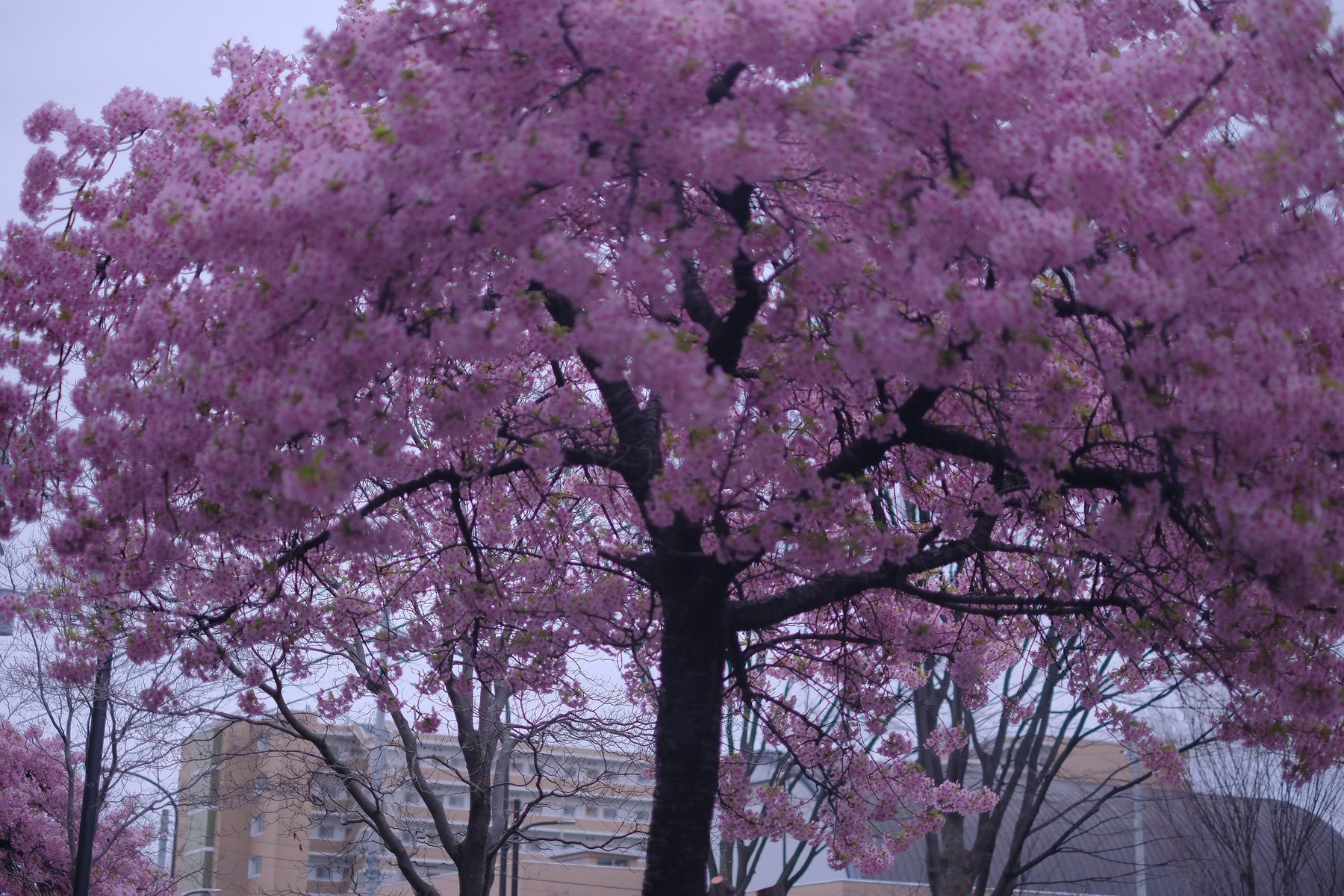
Overcast light can hold blossom detail without the harsh contrast of direct sun, yet the same softness may leave the tree without structure. The challenge is to keep the petals luminous while giving the branches and background enough separation to describe the canopy.
Treat the camera rendering as a starting point. Fujifilm Film Simulation, white balance, Dynamic Range, and tone settings shape the JPEG, while a RAW file leaves more of those choices open in Lightroom.
Expose for the petals, not the gray sky
Choose a cluster that should retain color and texture, then check that area in playback. A pale sky may sit close to white without needing to become the subject.
If the blossom loses texture, reduce exposure or reframe to include more dark branches. If the whole tree becomes dull, test a modest brighter exposure while protecting the most important petals.
Use branches to organize the frame
Dense blossoms need a visual path. Use a trunk or repeating branch to connect the foreground canopy to the background rather than filling every edge with equal detail.
Focus on a clear plane of petals or a strong branch intersection. At close distances, stopping down does not make every layer equally sharp, so decide which depth carries the picture.
Separate pink from magenta in Lightroom
Set profile and white balance before using Color Mixer or Point Color. Sample the petals and watch the sky, bark, and any remaining green while adjusting hue, saturation, or luminance.
A broad magenta change can affect unrelated surfaces. Narrow the color range or combine it with a mask when only the blossom needs correction.
Keep the weather visible
Do not add contrast until the image resembles hard sunlight that was not present. A soft sky and restrained shadows can be part of the atmosphere.
Export a web-sized JPEG and check whether fine blossom texture turns brittle. Reduce global sharpening or local contrast if the canopy becomes a mass of small hard edges.
Sources and further reading
References for the context and techniques discussed in this field note.